
How do I add purchasable products/merchandise to the checkout process?
Edited
Adding merchandise, giveaways, event swag, and promotional items is easy. Products can be created on the toolbar underneath "Events" and then "Add-ons."
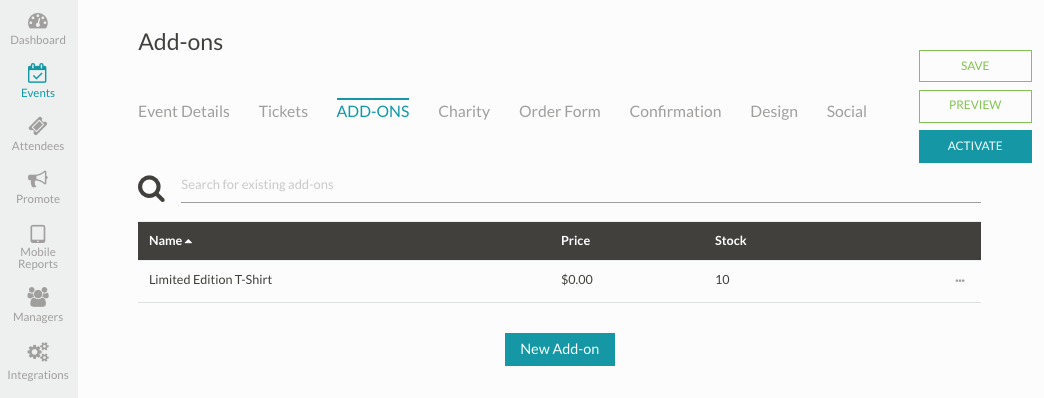
1. Click the "New Add-on" button at the bottom.
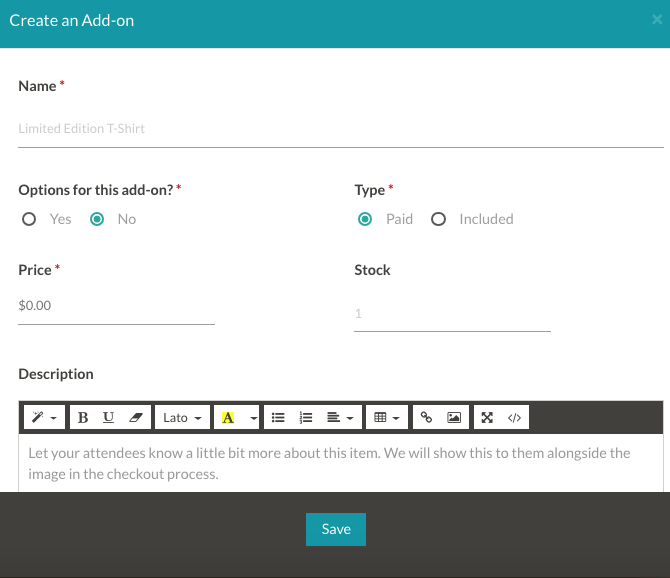
2. Tell your guests more about your item by providing a product name, price, description, and/or photo. You can also limit the number that can be purchased per order.
4. Click "Save" and you should be all set. You can add as many products/product attributes as you'd like/have.
Was this article helpful?
Sorry about that! Care to tell us more?